| Products |
Update |
Download |
Android Data Recovery 1.2.5.1757
Released Date: Oct 28, 2020
Platform: Windows 2000, XP, 2003, Vista, 2008, 7, 8, 10, 11, 2012
Size: 21.3M
|
[Ver 1.2.5.1757]
1. Improve application stability.
2. Fixes an issue that in some cases software couldn't be registered online.
more...
|
|
Eassos Photo Recovery 2.6.4.444
Released Date: Oct 28, 2020
Platform: Windows 2000, XP, 2003, Vista, 2008, 7, 8, 10, 11, 2012
Size: 29.3M
|
[Ver 2.6.4.444]
1. After copying files, the modified and created date of target folders is consistent with original ones.
2. Improve accuracy of recovering files by type.
3. Supports to recover and preview heif(.heic) and cr3 photo files.
4. Program icon on Taskbar displays progress for operation being executed.
more...
|
|
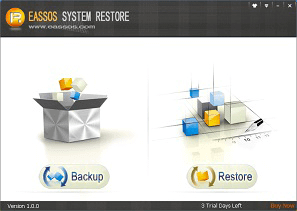
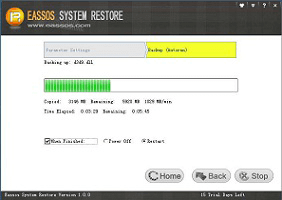
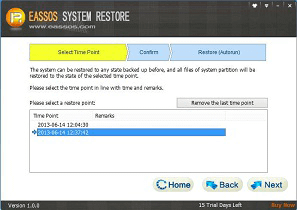
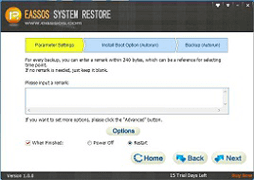
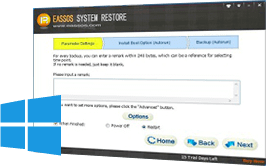
Eassos System Restore 4.15.1.900
Released Date: Aug 18, 2026
Platform: Windows 2000, XP, 2003, Vista, 2008, 7, 8, 10, 11, 2012
Size: 28.9M
|
[Ver 4.15.1.900]
1. Added support for newer hardware platforms, improving software compatibility with new hardware environments.
2. Added support for the Microsoft UEFI CA 2023 certificate signing, enhancing compatibility with the UEFI Secure Boot trust chain.
3. Optimized IsooBackup boot entries to improve boot process stability and reliability.
more...
|
|
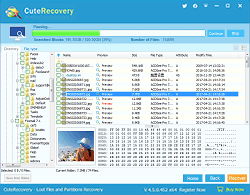
CuteRecovery Free 4.6.0.473
Released Date: Dec 13, 2024
Platform: Windows 2000, XP, 2003, Vista, 2008, 7, 8, 10, 11, 2012
Size: 59.6M
|
Name Change Notice:
We would like to announce that we are changing the product name from "EassosRecovery" to "CuteRecovery". All else remains unchanged.
[Ver 4.6.0.473]
1. Supports recovering EFS-encrypted files.
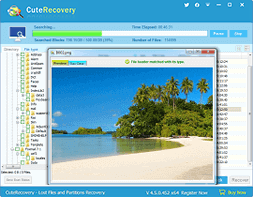
2. The file preview feature supports both thumbnail and large image previews for EFS-encrypted files.
3. The "File Recovery" feature improve the support for Recycle Bin, restoring files in the Recycle Bin to their original path.
4. Improve operational convenience for the "Recover Lost Partitions" feature.
5. Optimizes data recovery effects for FAT32 and exFAT partitions.
6. Improves the accuracy of recovering MP4 and ZIP formats by type.
7. When recovering lost files, the program will automatically set filenames for Office documents listed under the "File type" tab.
more...
|
|
CuteRecovery 4.6.0.473
Released Date: Dec 13, 2024
Platform: Windows 2000, XP, 2003, Vista, 2008, 7, 8, 10, 11, 2012
Size: 59.0M
|
|
|
DiskGenius Free 6.2.0.1829
Released Date: Jun 08, 2026
Platform: Windows 2000, XP, 2003, Vista, 2008, 7, 8, 10, 11, 2012
Size: 63.9M
|
[Ver 6.2.0.1829]
1. [New] Add the "Disk Speed Test" feature.
2. [New] Add the "Windows Boot Repair and Conversion" feature.
3. [New] Add the BMB21-2019 erase standard to the "Erase Sectors" feature.
4. [New] Add support for restoring an individual partition from a PMFX disk image file.
5. [Enhanced] The "Verify Or Repair Bad Sectors/Blocks" feature displays disk read speed in the detection window during scanning.
6. [Enhanced] The "Quick Partition" dialog box allows users to quickly select the number of partitions by pressing the numeric keys 1, 2, 7, 8, or 9.
7. [Enhanced] The "Set Volume Name" dialog box supports selecting preset volume labels provided by the software.
8. [Enhanced] The "Copy Sectors" feature supports resuming copy tasks after modifying the number of skipped bad sectors.
9. [Enhanced] Add the "TRIM Optimization" option to the format dialog box.
10. [Enhanced] The "Clone Partition" and "Clone Disk" features perform TRIM optimization on target partitions or disks before cloning.
more...
|
|
DiskGenius Pro 6.2.0.1829
Released Date: Jun 08, 2026
Platform: Windows 2000, XP, 2003, Vista, 2008, 7, 8, 10, 11, 2012
Size: 63.9M
|
|
|
iPhone Data Recovery 1.2.2.1755
Released Date: Oct 28, 2020
Platform: Windows 2000, XP, 2003, Vista, 2008, 7, 8, 10, 11, 2012
Size: 48.2M
|
[Ver 1.2.2.1755]
1. Improve application stability.
2. Fixes an issue that in some cases software couldn't be registered online.
more...
|
|
























 Facebook
 X
X Youtube